Clefsy

Get paid without chasing anyone.

Billing runs itself. Invoices and overdue reminders send themselves, autopay charges a card on file on each due date, and your late-cancellation fee is one tap away. Card payments go straight to your own Stripe account, and Venmo, Cash App, PayPal and Zelle go straight to you.
Start freeFree to start. No credit card required.
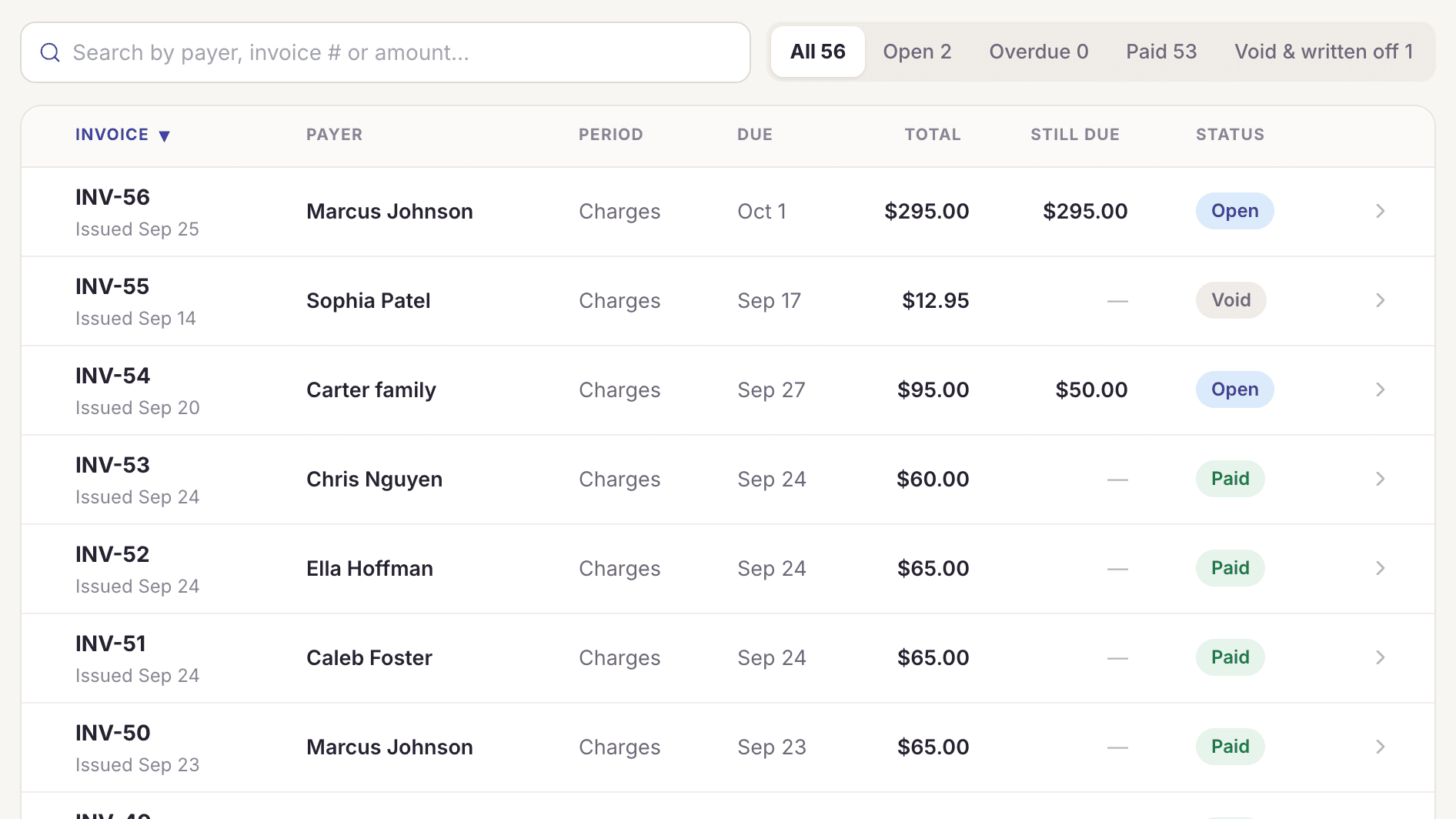
The Clefsy billing screen listing invoices by payer with open, void and paid status

What's included

Card payments into your own Stripe
Card, Apple Pay and Google Pay go straight to your bank. We never hold your money or take a cut.
Venmo, Cash App, PayPal and Zelle
Students tap a pay link with the amount filled in. For Zelle, they see the amount and where to send it.
Cash and check
Record them in a tap, with the method noted.
You choose when lessons are billed
At booking, the day before, after the lesson, or monthly in advance.
Invoices that send themselves
Each lesson, or each month, gets an invoice with a pay link, sent on schedule.
Automatic overdue reminders
The day before, on the due date, then 3 and 7 days late. They stop the moment it's paid.
Late-cancellation fees
Set the notice window and what a late cancellation costs: the full price, a flat fee, a percentage or one package lesson. A cancellation inside the window offers that charge in one tap, or a waiver, and the charge is added to what they owe.
Siblings on one invoice
Brothers and sisters billed together on one invoice to the parent who pays, grouped by child.
Autopay
Students and parents turn on autopay and their card on file is charged on each invoice's due date, and every invoice is emailed first. They can switch it off any time.
One-time charges
Add a method book or recital fee to the next invoice.
Sibling discounts
Standing discounts applied on every invoice.
Refunds
Full or partial, from the lesson. Refunds made in Stripe sync back.
Who pays the card fee
Pass the processing fee to the student, or absorb it.
Receipts
Card receipts emailed automatically.
Cards on file
Students save a card securely for autopay and one-tap payments. You never see or type the number.
Who owes what
One list of unpaid lessons, overdue invoices and failed charges, each with a one-tap reminder or retry.

Common questions

Do you hold my money?

No. Card payments go through your own Stripe account and settle to your bank. Venmo, Cash App, PayPal and Zelle go straight to you.

Is there autopay?

Yes. Students and parents save a card and turn on autopay, and each invoice is charged on its due date. Every invoice is emailed before it's charged, and autopay can be switched off any time.

Can I bill monthly?

Yes. Choose monthly in advance and each payer gets one invoice for the month's lessons. Siblings share one invoice.

Do you send payment reminders?

Yes. The day before, on the due date, then 3 and 7 days late. They stop the moment it's paid.

Can I charge late fees?

Yes, for late cancellations. Set how many hours' notice you need and what a late cancellation costs (the full price, a flat fee, a percentage or one package lesson), and a cancellation inside that window offers the charge in one tap. There is no extra fee for paying late; overdue invoices get automatic reminders instead.

Start free. Never pay more than $49.

Solo studios are always free. Encore is $10 a month, each extra teacher is $5, and the bill never goes above $49. You never pay per student.

Start free →